
You can cancel your subscription at any time, with no prior notice period. After cancellation, you can continue to use all features of your Shared Calendar license until the end of your current license term.
You have three different options to cancel your subscription:
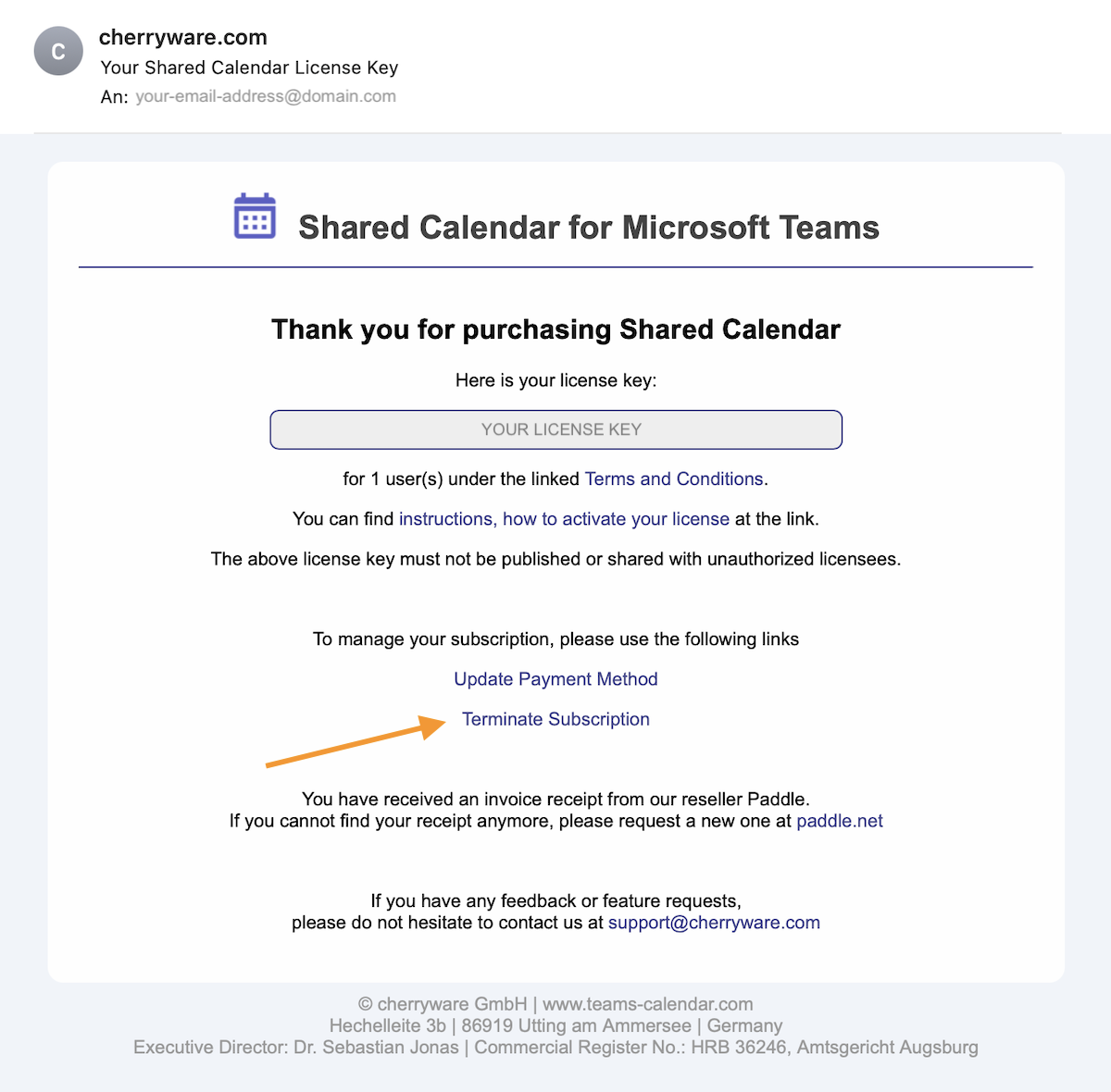
1) Use the link in your license email
When you purchased your license, you received an email with the subject “Your Shared Calendar license key”.<br>That email contains a link to cancel your subscription.
2) Cancel your subscription directly from the Shared Calendar app
- In the Shared Calendar app, open the general menu in the top-right corner and select License Manager.
Requirement: The license key must be activated in the app.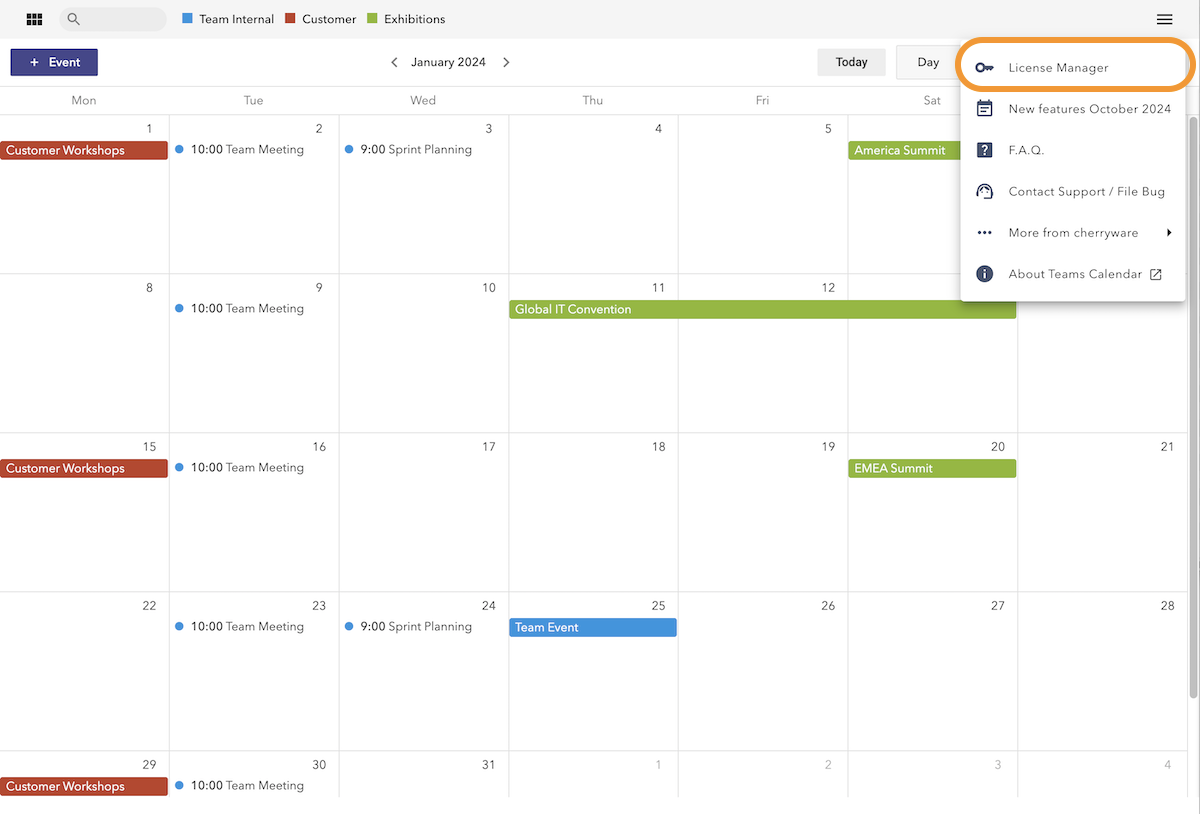
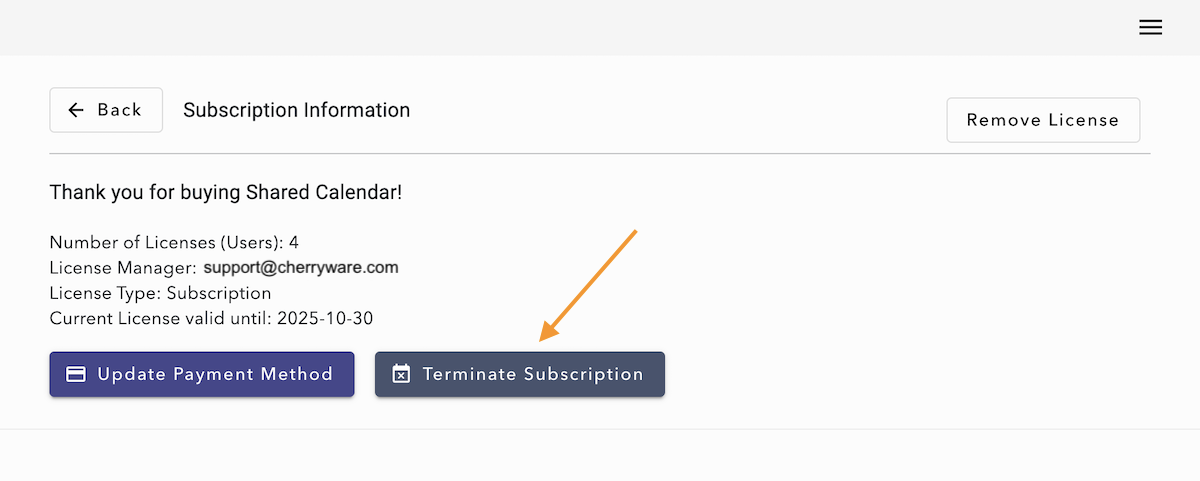
- Then click Terminate Subscription and confirm the cancellation in your browser.
3) Alternative: Cancel through the reseller
If your license is not set up in the Shared Calendar app and you cannot find your license email, please visit the Paddle customer portal to link your payment to your email address and cancel your subscription through our reseller.
If you purchased through Microsoft, please cancel the subscription in the Microsoft admin center.